
Getting Ready to Teach - Part 7: Class Feedback
Last updated: April 23, 2026
After each class, teachers record specific and timely feedback in the Teacher Portal for each student. This highlights what the student did well, areas that may need further support, and relevant context such as attendance, technical issues, class disruptions, or behavioral concerns.
How to submit class feedback
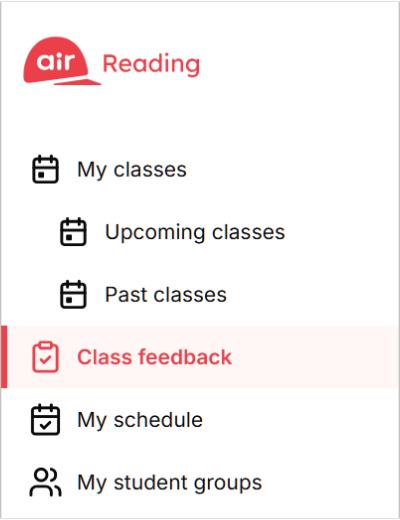
1. Open the Teacher Portal and click on the Class feedback tab from the main menu.
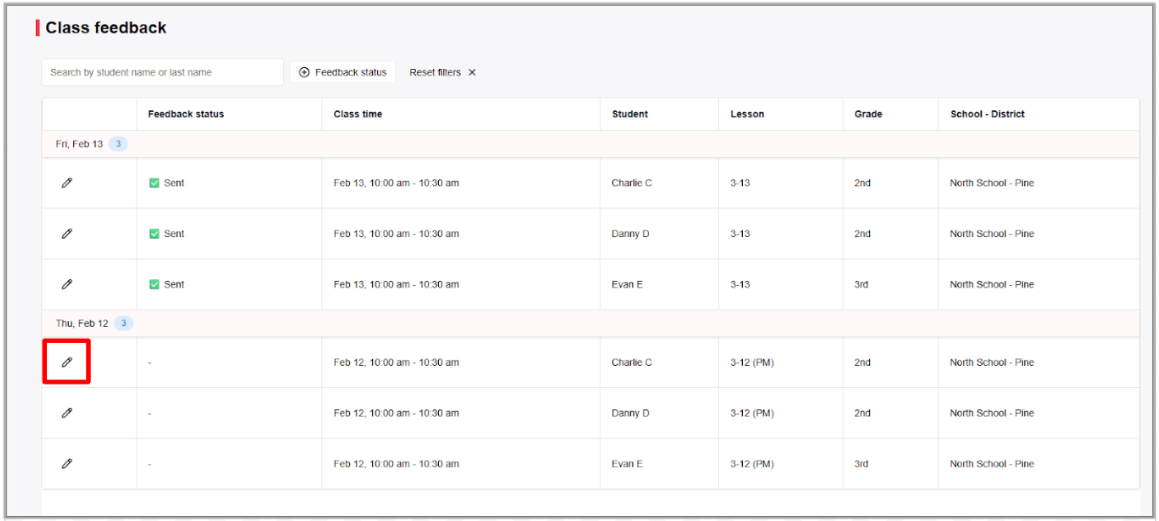
2. Locate the student you want to provide feedback for, then click the pencil icon in the same row.
3. Fill out all relevant sections of the feedback form to help ensure a complete and accurate record.
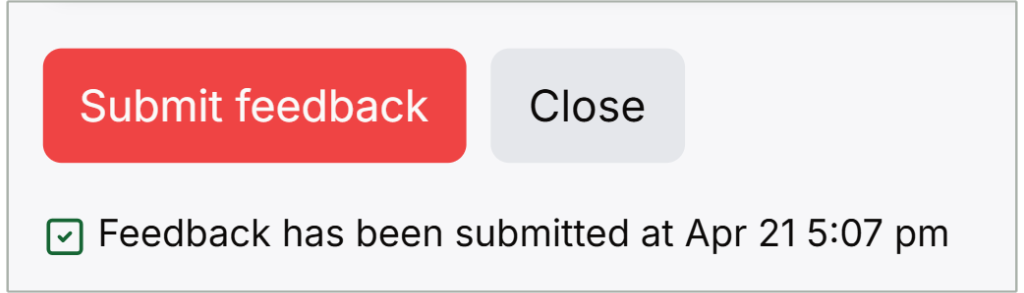
4. After completing your feedback, click Submit feedback to send or select Save draft if you plan to add more information later. Please note that feedback needs to be submitted within 12 hours in order to receive the full incentive.
Feedback for each class
In each class, we provide the following feedback:
- Attendance
- Student issues
- If the student was late, left early, or had tech issues (if for more than 10 minutes)
- Major class concerns (e.g., disruptive behavior, extremely noisy background)
- Extreme concerns (e.g., self-harm or suspected abuse)
- Curriculum feedback
- Includes: Mastery Checks, 6th Lesson Progress Monitoring, Grade Level Assessment, Diagnostic Assessment
- Includes: Mastery Checks, 6th Lesson Progress Monitoring, Grade Level Assessment, Diagnostic Assessment
- Fluency
- Comprehension
- For Air Reading Team Only box
- Optional: May be used to include any additional notes about student performance
For a full rundown on all the different types of class feedback and how to enter it into the Teacher Portal, please visit the article, Class Feedback.
| Go back | Click here to go to Part 8 |
Was this article helpful?
That’s Great!
Thank you for your feedback
Sorry! We couldn't be helpful
Thank you for your feedback
Feedback sent
We appreciate your effort and will try to fix the article