
Step 5: Submitting Your Demo
Last updated: September 5, 2025
This article will guide you through the final steps of submitting your recorded demo lesson.
How to submit
To submit your demo, open this link: https://airtable.com/appGLIl83GeITBfQn/shrTz2AErPzWyrhc3
From there, click Upload file, then Attach file to upload your Zoom demo recording.
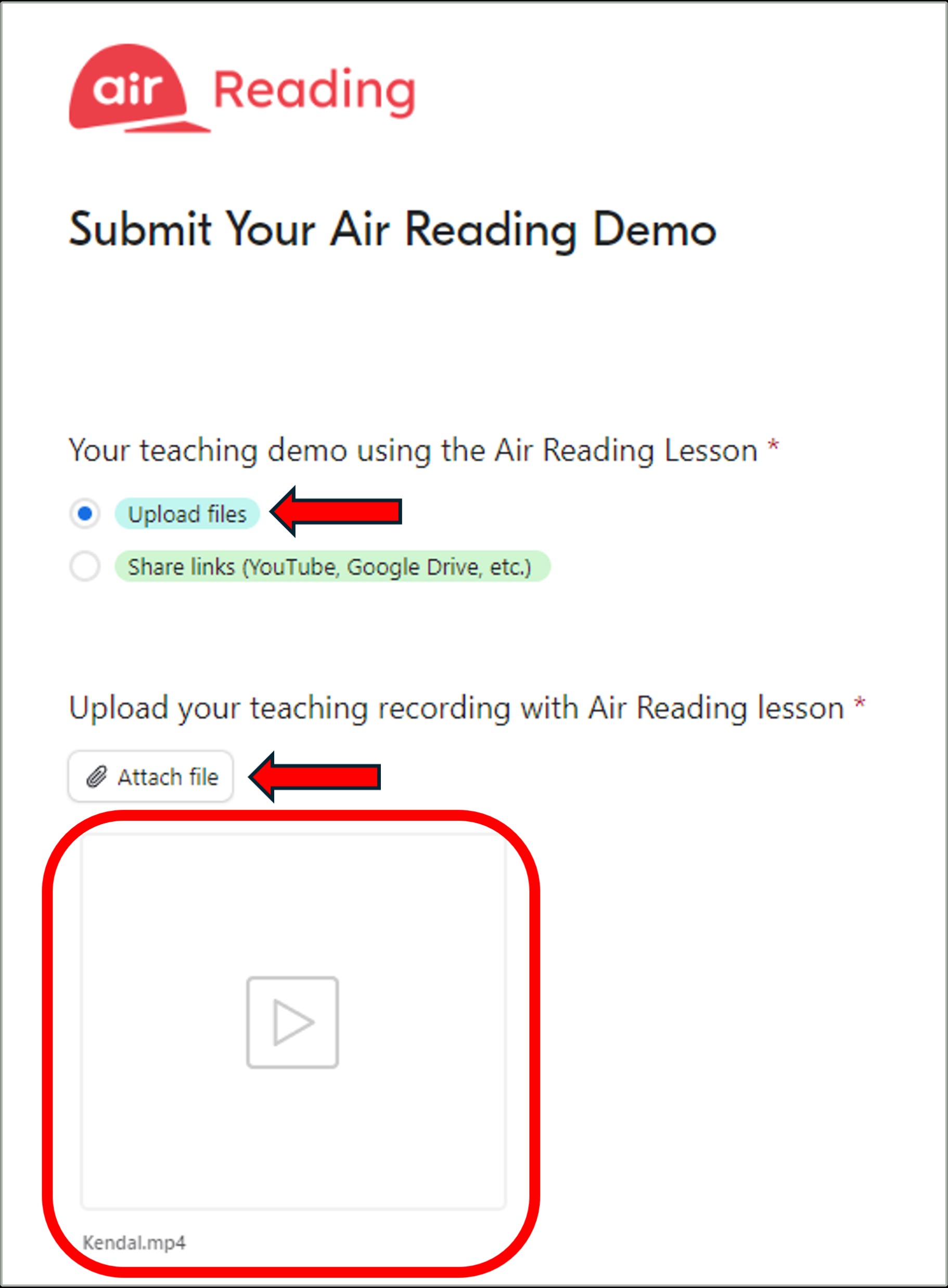
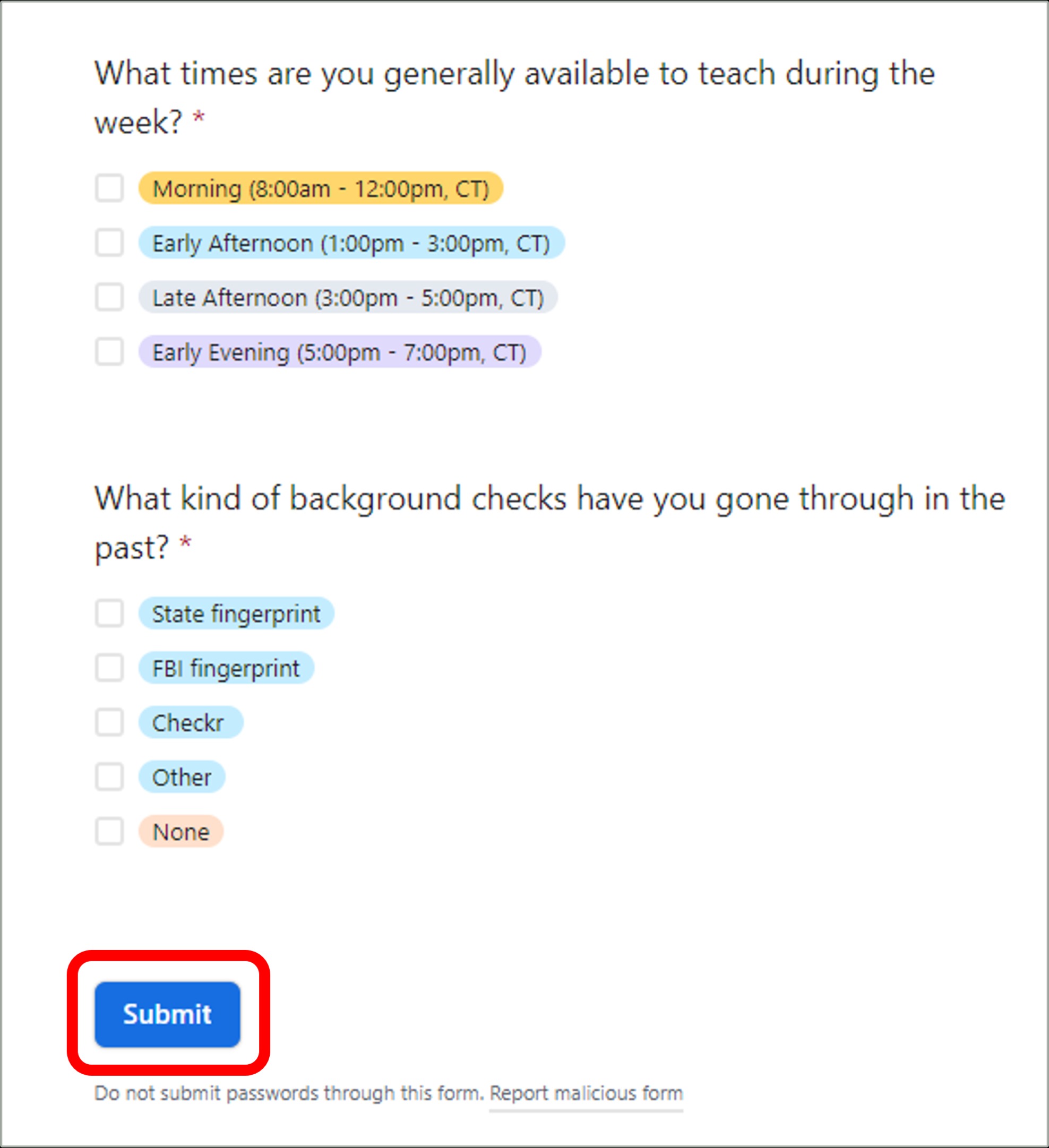
Be sure to complete all questions on the form before clicking Submit at the bottom.
Was this article helpful?
That’s Great!
Thank you for your feedback
Sorry! We couldn't be helpful
Thank you for your feedback
Feedback sent
We appreciate your effort and will try to fix the article