
Can Not See Your Video In The Recording?
Last updated: February 17, 2026
This article will help you troubleshoot what to do if you can not see your video in your demo recording.
Solution
Your demo recording must show both the lesson slides you are sharing and your video. If you can not see your video in the recording, you will need to enable it from the Zoom settings.
Video: Enable teacher video in recording
Watch the video below, learn how to enable your teacher video to appear in your recording through the Zoom settings. Continue reading below for written instructions with pictures.
Written instructions
How to enable video recording in screen share:
- Open the Zoom Workplace app and open your account options.
- Select Settings.
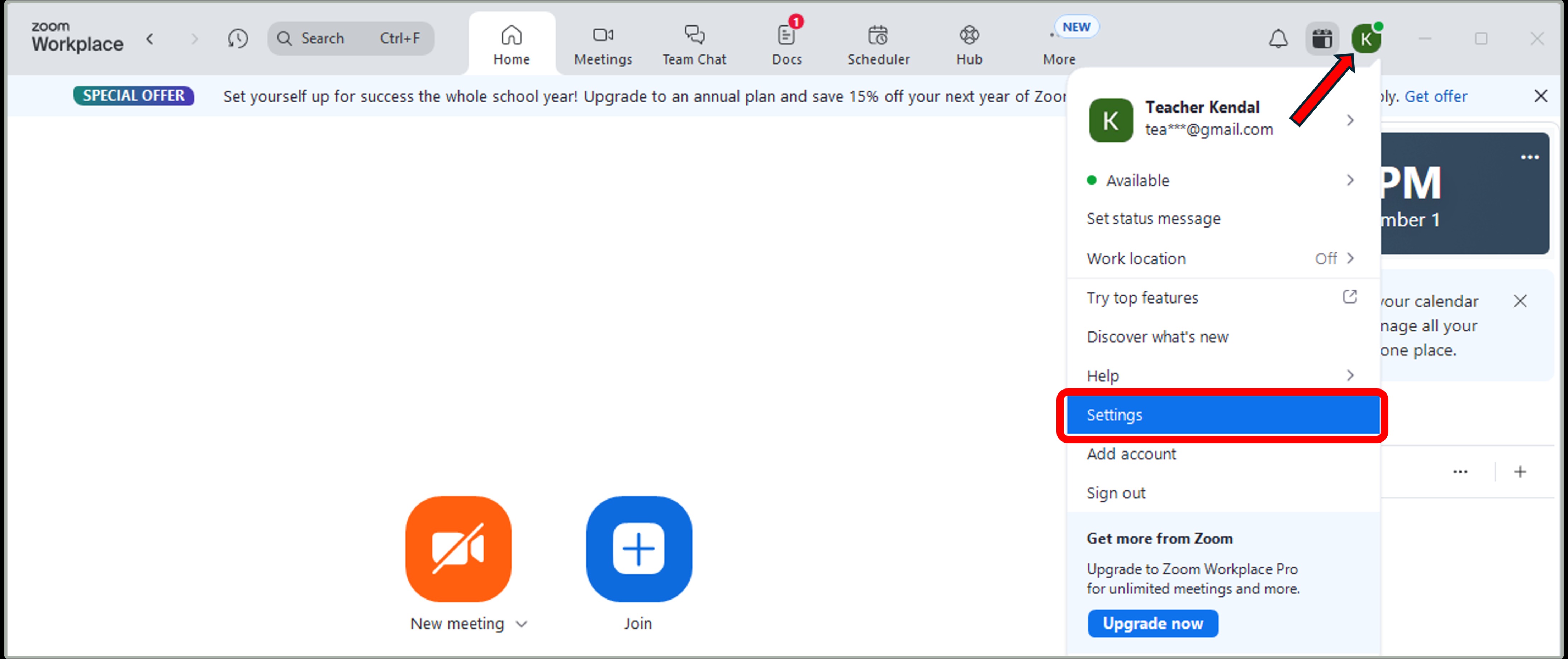
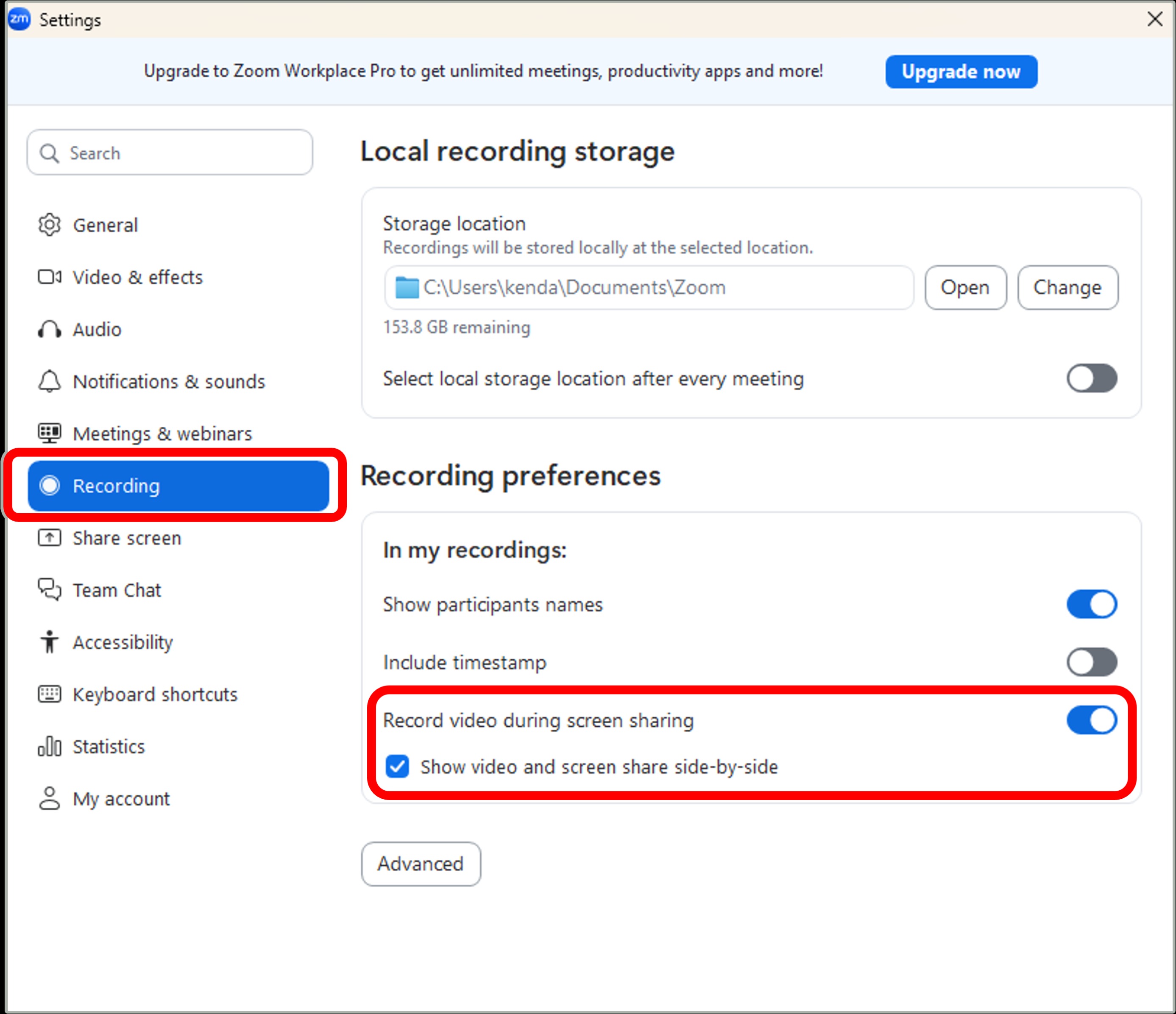
- Click on the Recording tab on the left.
- Toggle the "Record video during screen share" on (it will turn blue)
- Check the box for "Show video and screen share side-by-side."
Was this article helpful?
That’s Great!
Thank you for your feedback
Sorry! We couldn't be helpful
Thank you for your feedback
Feedback sent
We appreciate your effort and will try to fix the article