
Can Not Find Your Recording?
Last updated: February 17, 2026
This article provides a few options for locating your Zoom recording if you are having trouble finding the file on your computer.
Solutions
There are several options you can try to locate the recording. These include:
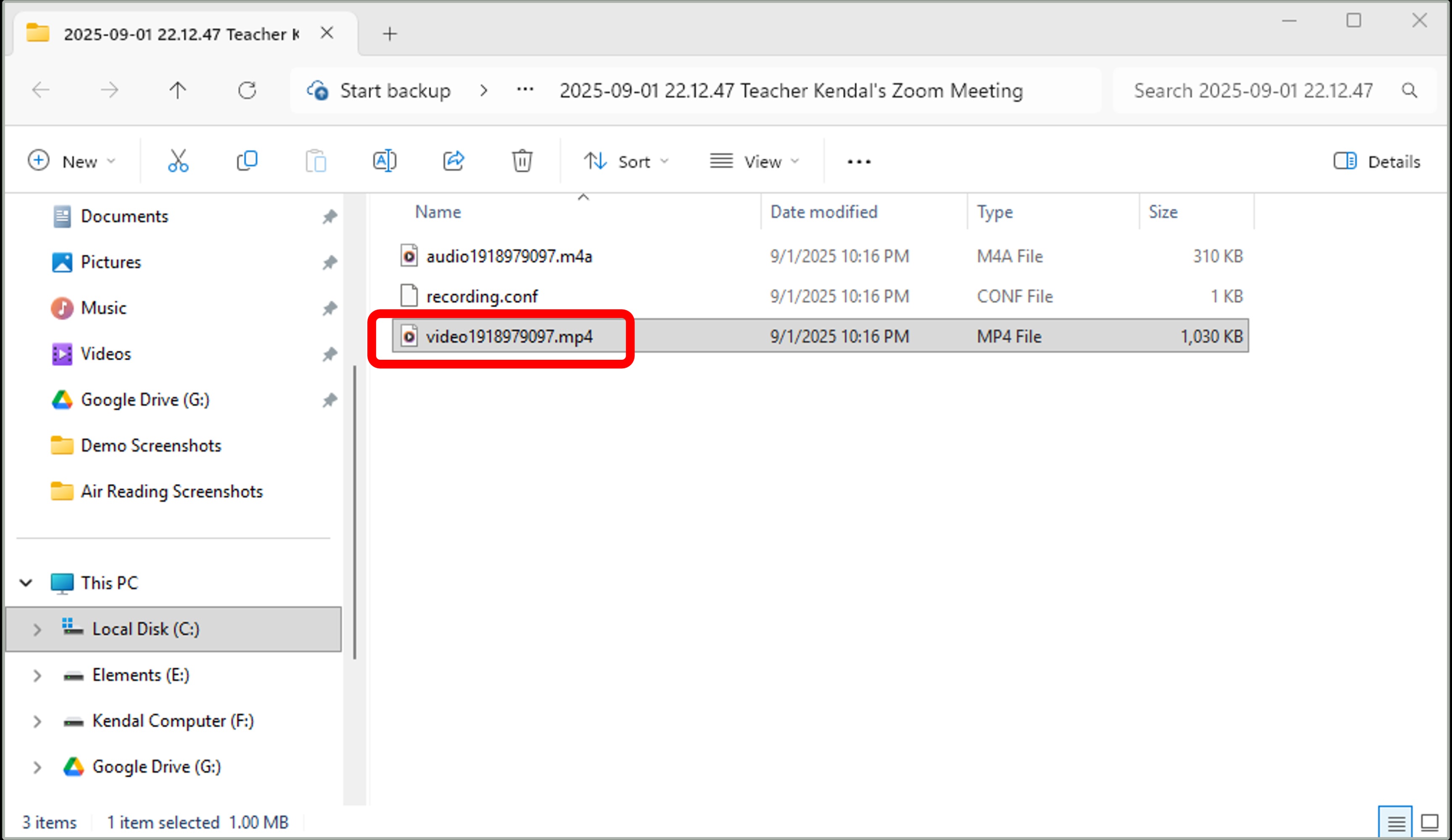
Option 1: When the recording conversion has finished, a folder will open on your screen with the Zoom recording files. The file you need to submit is the one that ends with .mp4. Please feel free to rename your video with you first and last name before submitting.
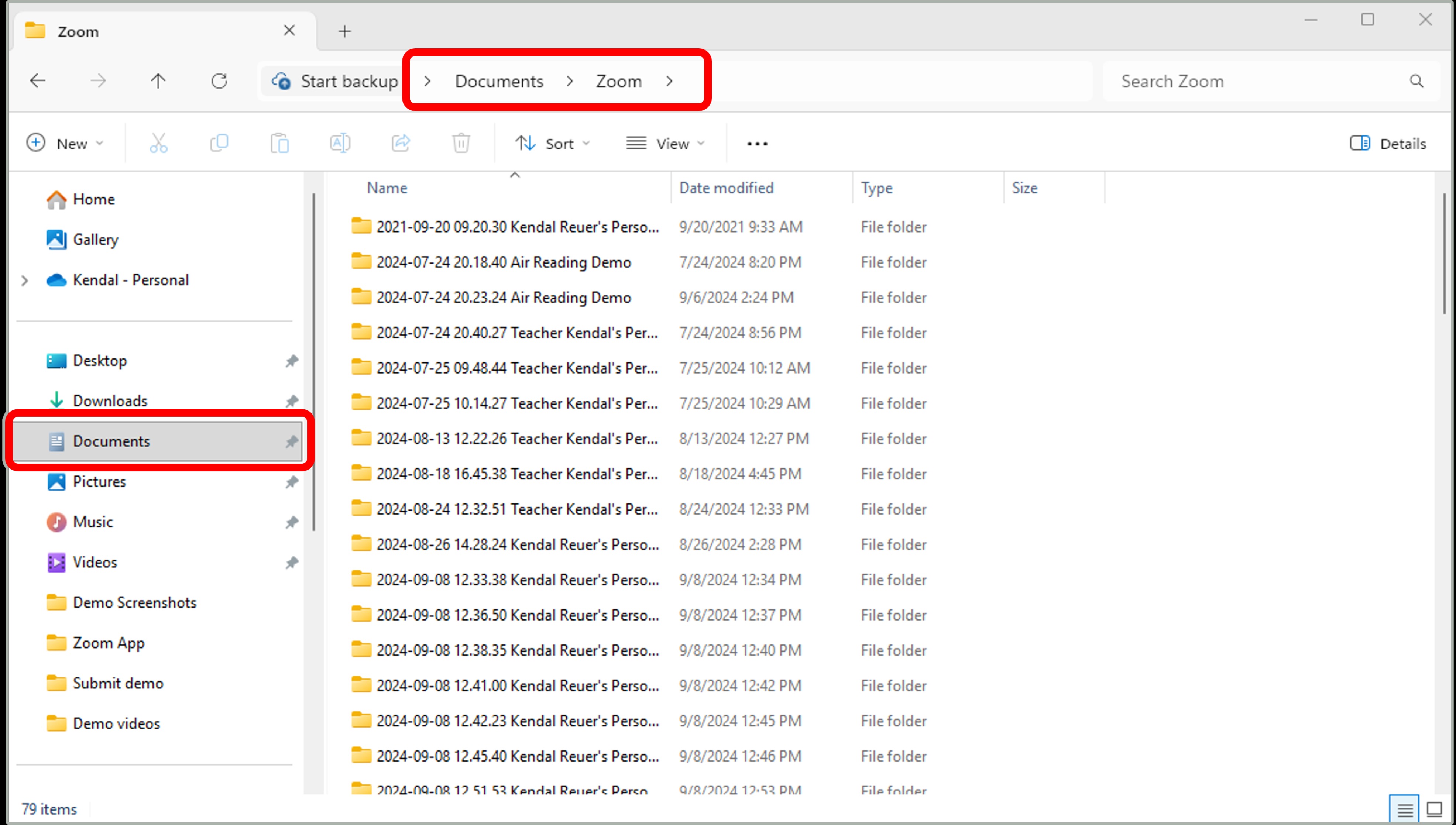
Option 2: Recordings are typically saved in a folder in your documents with the name Zoom. Look for a folder with the date of your recording.
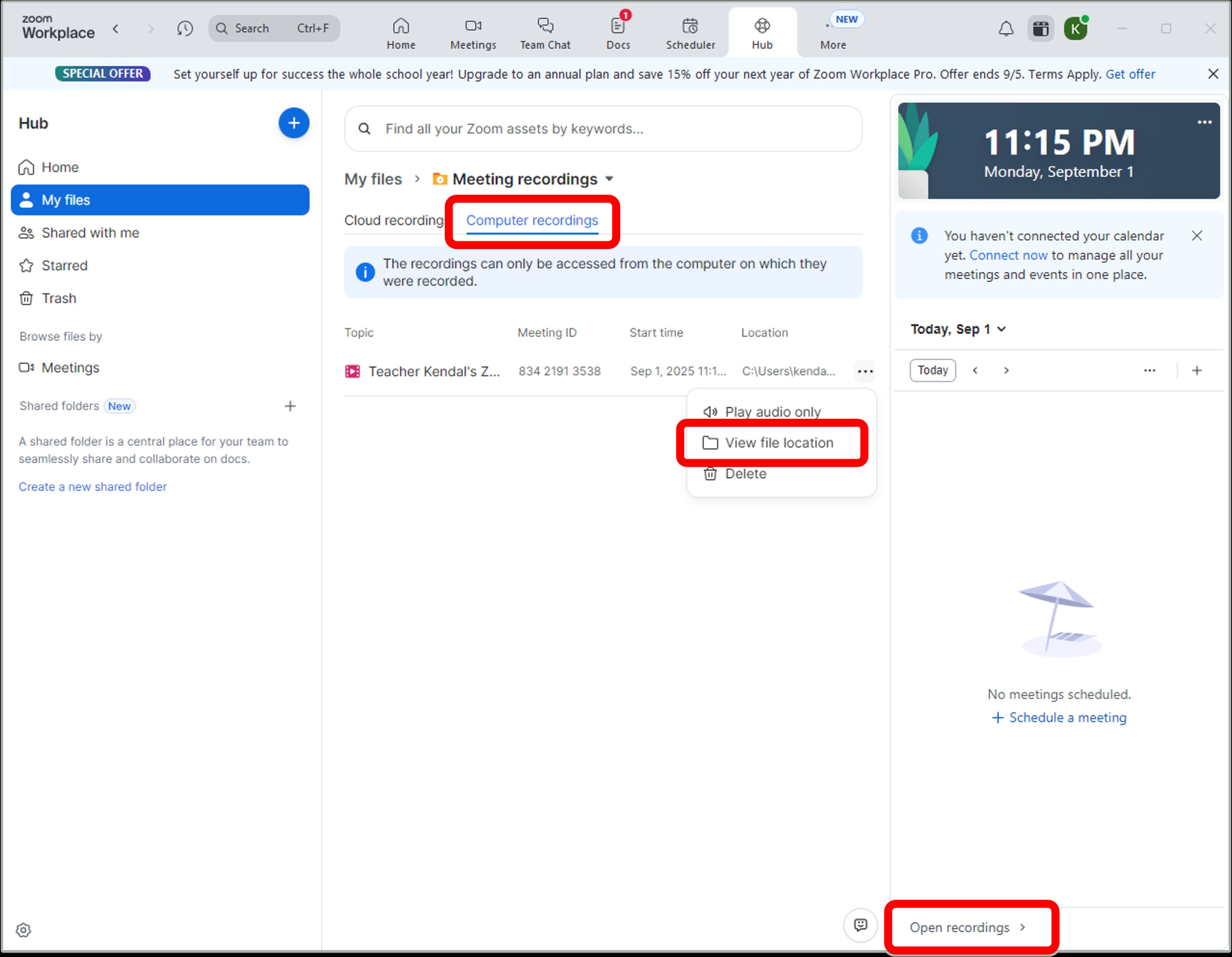
Option 3: Locate the recording from the Zoom app.
- Click on My files
- Click Open recordings
- Select Computer recordings
- View file location.
- The Zoom folder will open with the .mp4 recording.
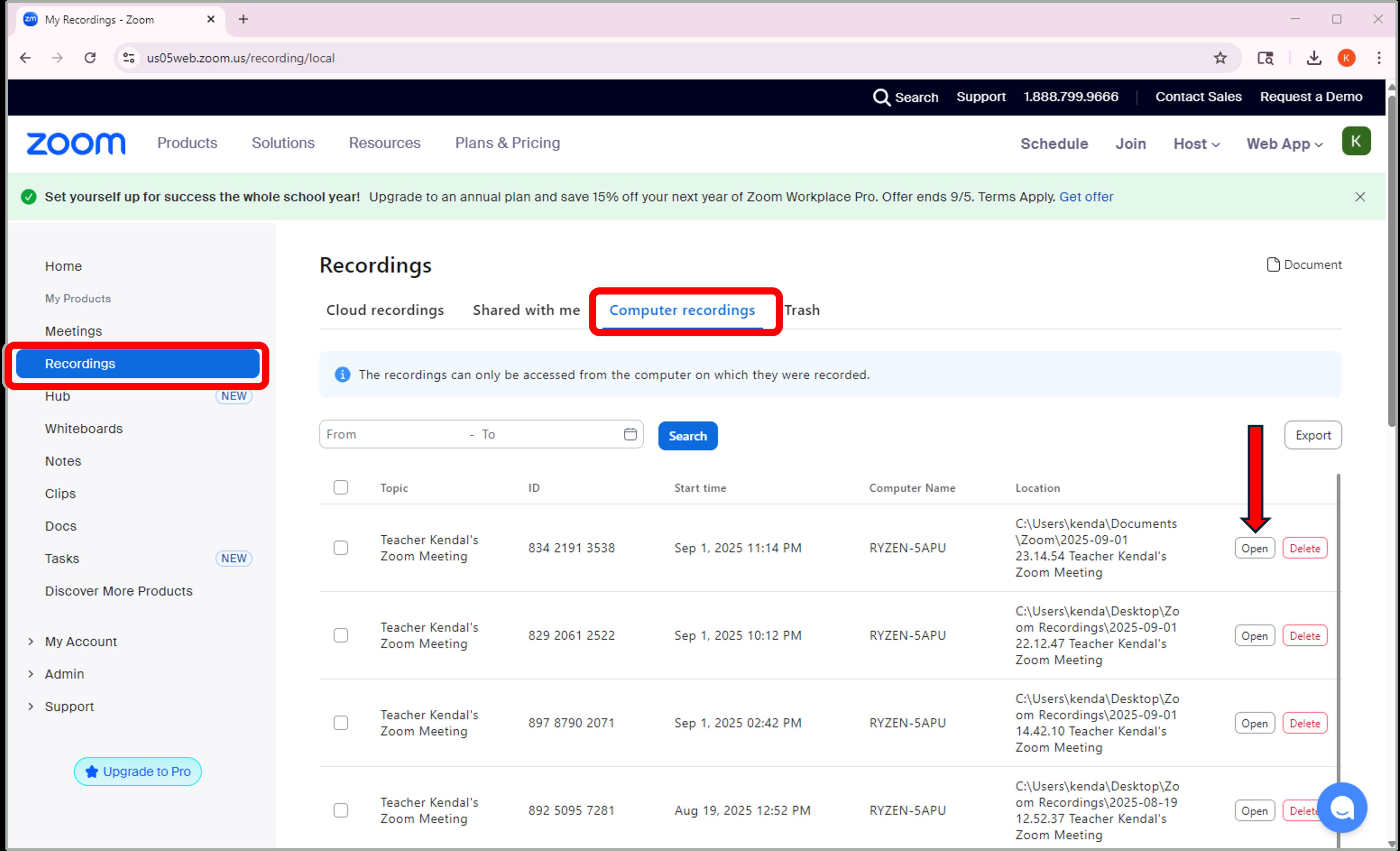
Option 4: Locate the recording from the Zoom website.
- Open Zoom.us
- Log in to your Zoom account.
- Click on Recordings.
- Select Computer recordings.
- Click Open.
- The Zoom folder will open with the .mp4 recording.
Was this article helpful?
That’s Great!
Thank you for your feedback
Sorry! We couldn't be helpful
Thank you for your feedback
Feedback sent
We appreciate your effort and will try to fix the article